
Download Bestppt ai – AI‑powered presentation designer, free trial, secure download
Overview
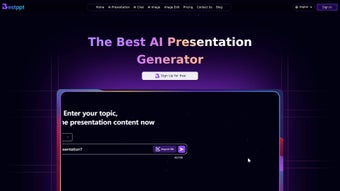
Bestppt ai is a cloud‑based design assistant that uses artificial intelligence to turn ordinary slide content into polished, professional presentations in seconds. Launched on 7 April 2025, the platform targets business professionals, educators, marketers and anyone who needs to convey ideas quickly without spending hours on visual layout. Because the service runs entirely in the browser, there is no heavyweight installer, no licensing keys and no need to keep a local copy up‑to‑date.
All updates are pushed automatically from the provider’s servers, which means users always benefit from the latest design templates, AI model improvements and security patches without lifting a finger. The AI engine analyses the textual input, extracts key concepts, and then matches those concepts with a curated library of images, icons, fonts and colour palettes. It also respects brand guidelines when you upload your own logo, corporate fonts and colour codes, ensuring consistency across every slide.
While Bestppt ai is a subscription‑driven product, a seven‑day free trial unlocks the full feature set, allowing potential customers to evaluate the tool before committing. Community feedback is collected via in‑app ratings and a public forum, giving the development team a clear view of what users love and where the product can improve. In short, Bestppt ai promises a faster, smarter way to create decks that look as if they were built by a professional designer, all from any device with an internet connection.
Key Features of Bestppt ai
- AI‑Generated Slide Layouts: The system automatically proposes slide structures, typography and visual hierarchy based on the content you type.
- Real‑Time Design Suggestions: Colour palettes, icon sets and image recommendations appear instantly as you edit each slide.
- Extensive Template Library: Hundreds of ready‑made templates for business, education, marketing and more, all searchable by industry.
- One‑Click Export Options: Export your deck as a PowerPoint .pptx file, PDF, or Google Slides link while preserving AI‑added design elements.
- Collaboration Hub: Invite teammates, assign editing rights, leave comments, and view version history in real time.
- Brand Consistency Mode: Upload brand assets (logo, fonts, colour codes) and let the AI enforce them across every slide automatically.
- Secure Cloud Storage: Projects are stored in encrypted containers that meet GDPR and ISO‑27001 standards.
- Multilingual Support: The AI can suggest content and design cues in more than 20 languages, ideal for global teams.
- Continuous Learning Engine: The system refines its recommendations based on user feedback and emerging design trends.
- Responsive Design Mode: Slides adapt automatically for viewing on laptops, tablets or smartphones, ensuring a consistent experience.
Installation, Usage Instructions & Compatibility
Because Bestppt ai lives in the cloud, there is no traditional installation process. Getting started is a matter of creating an account, verifying your email and logging in from any modern web browser. Follow the steps below to start designing your first AI‑enhanced deck:
- Create an Account: Visit bestppt.ai and click “Sign Up”. Register using an email address or a single‑sign‑on provider such as Google or Microsoft.
- Select a Plan: Choose between monthly or annual billing. New users receive a 7‑day free trial that unlocks every premium feature.
- Verify Your Email: Click the verification link sent to your inbox to activate the account.
- Start a New Presentation: After logging in, select “New Presentation”, give it a name and begin typing your slide content. The AI begins generating layout suggestions instantly.
- Customize & Collaborate: Use the side panel to fine‑tune fonts, colours, upload brand assets or invite collaborators via email.
- Export or Share: When satisfied, click “Export” to download a .pptx, PDF, or generate a shareable link for Google Slides.
Supported Operating Systems & Browsers: Bestppt ai works on any device with a current web browser, including:
- Windows 10/11 – Chrome, Edge, Firefox, Opera, Safari
- macOS 12+ – Chrome, Safari, Firefox, Opera
- Linux – Any up‑to‑date Chromium‑based or Firefox browser
- iOS 13+ – Safari or Chrome
- Android 9+ – Chrome or Firefox
Performance depends mainly on a stable internet connection; a minimum of 5 Mbps is recommended for smooth operation. The platform respects corporate firewalls and proxies, and all data transmission is protected by TLS 1.3 encryption.
Pros, Cons, Frequently Asked Questions & Conclusion
Pros
- AI‑driven design cuts slide‑creation time dramatically.
- Browser‑only access eliminates the need for heavy desktop software.
- Robust real‑time collaboration supports distributed teams.
- Secure cloud storage complies with GDPR and ISO‑27001.
- Automatic updates keep features fresh without user effort.
Cons
- Subscription pricing may deter occasional users.
- No offline mode – an internet connection is required at all times.
- Advanced branding tools are locked behind higher‑tier plans.
- AI suggestions sometimes need manual tweaking for niche industries.
- Performance can lag on low‑end devices with many open browser tabs.
Frequently Asked Questions
Is there a free version of Bestppt ai?
Bestppt ai provides a 7‑day free trial that gives full access to every premium feature. After the trial expires, a paid subscription is required to continue using the service.
Can I export my presentation to PowerPoint?
Yes. With a single click you can download your deck as a .pptx file, a PDF, or generate a shareable Google Slides link while preserving all AI‑generated design elements.
Is my data safe on the Bestppt ai cloud?
All projects are encrypted at rest and in transit using TLS 1.3. The service meets GDPR and ISO‑27001 requirements, providing enterprise‑grade security for personal and corporate data.
Do I need a powerful computer to run Bestppt ai?
Because the heavy processing occurs on the server side, any modern device with a recent browser and a stable internet connection can run Bestppt ai smoothly. Low‑end machines may experience slower UI responsiveness if many tabs are open simultaneously.
How does the AI understand my content?
The AI leverages natural‑language processing to analyse the text you enter, extracting key themes, sentiment and structure. It then maps those insights to a curated design database, selecting appropriate layouts, visuals and colour schemes.
Conclusion – Should You Download Bestppt ai?
For professionals who need high‑impact presentations quickly, Bestppt ai offers a compelling blend of AI‑driven design, seamless collaboration and enterprise‑grade security—all without the baggage of traditional desktop software. The subscription model and constant internet requirement may be a hurdle for occasional users, but the time savings, brand‑consistent output and multilingual support make it a solid investment for frequent presenters, marketers and educators. We recommend starting the 7‑day free trial, testing the AI suggestions on a real project, and deciding whether the productivity boost justifies the recurring cost. Download Bestppt ai now and experience AI‑enhanced slide creation without the hassle of installations or outdated templates.



.png)



